
TL;DR
→ Storing unencrypted VM backups and disks equates to exposing plaintext credentials
→ Managing hypervisors and EDR consoles within Active Directory often breaks the tiering
→ When using disk images, user profiles or backups, don't forget about integrity
Intro: Tiering
For those unfamiliar with the tiering in Active Directory, here is how it works:
- Tier 0: Contains anything linked to Domain Controllers and Domain administrators. Basically, it should only be accessed when making changes at the domain level (password policies, GPOs, ...)
- Tier 1: Meant mostly for server management. It contains less critical assets than the previous one, but will likely represent a higher risk at the business level.
- Tier 2: Workstations, phones, printers
This security model is made in such a way that administrators separate roles and accounts, depending on the tier they work with. This ensures, for example, that compromising a laptop, and all accounts logged into it, will not immediately lead to the fall of the whole castle.
Unencrypted VM storage
This one is the most commonly seen.
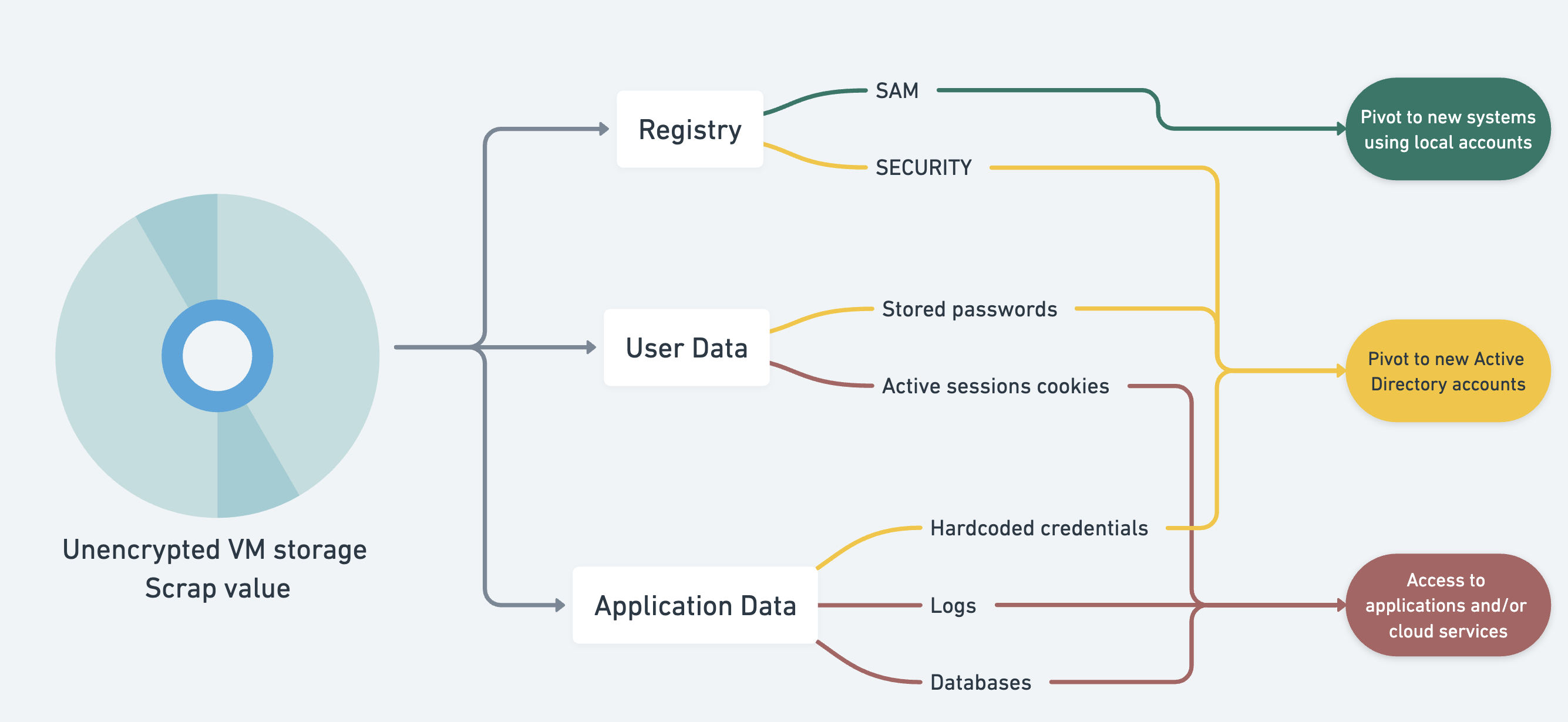
The virtual machines backups, snapshots, images, virtual disks, all contain secrets. The image above tries to summarize which kind of secrets are generally stored in those files, while being loosely based on a Krebs article.
It is important to note that any local authentication secret, application configuration, API token used in a virtual system will possibly be available in a snapshot. Evidently, exposing those backups and virtual disks (which are just binary files, sometimes tedious to parse but still files) on a network with no or weak authentication and access control poses a problem.
For instance, a very common attack path for privilege escalation within a network containing virtual systems would follow these steps:
- Identify hypervisors
- Identify shares containing virtual machine drives and images (by looking for specific extensions: .vhdx, .qcow2, ...)
- Mount/read the volumes
For .vhdx, using libguestfs:
guestmount --add vm.vhdx --inspector --ro /mnt/vm/For .qcow2 (adjust the partition number to match the main system's one):
modprobe nbd max_part=8
qemu-nbd --connect=/dev/nbd0 vm.qcow2
mount /dev/nbd0p1 /mnt/vm/
And poof, the local Windows secrets are readable from a Linux machine:
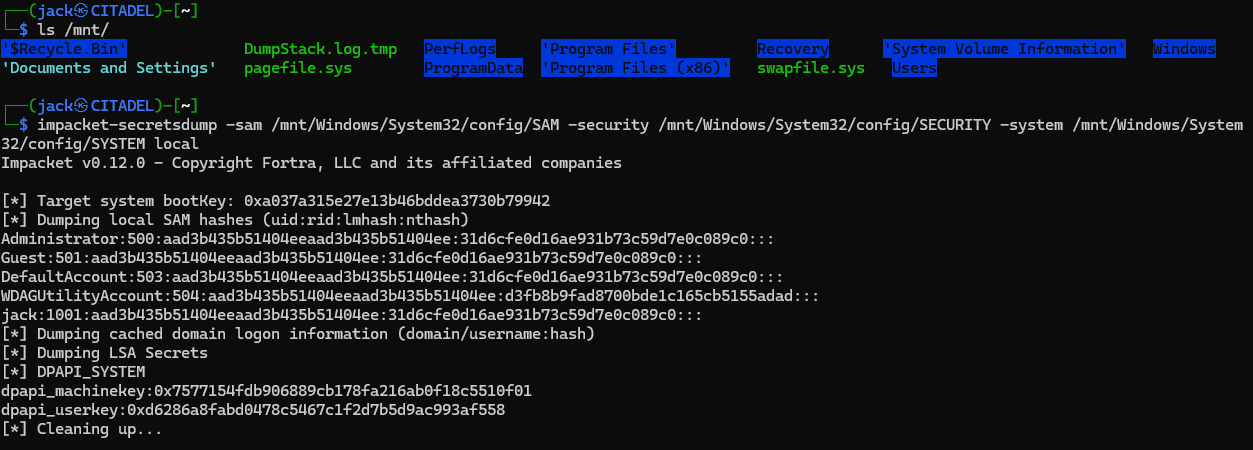
This, coupled with Windows systems sharing the same local passwords, can be devastating.
Exploiting broken tiering
As mentioned earlier, hypervisors should not host VMs with a higher tier than themselves. Here is why:
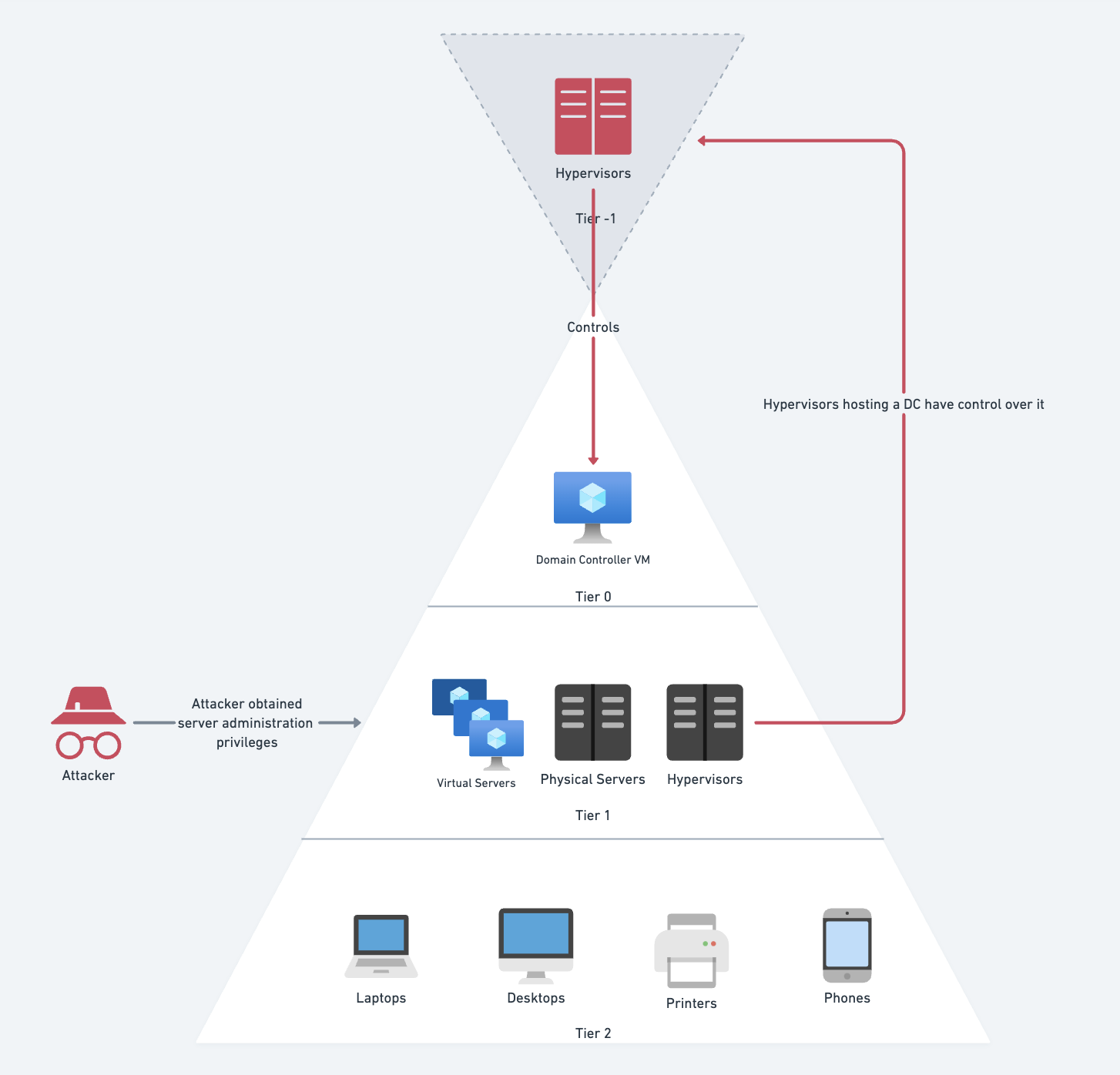
It creates a privilege escalation from Tier 1 to Tier 0. It is usually easily exploitable, following similar steps as before, but with a different ending:
- Identify the hypervisors
- Identify the ones hosting a Domain Controller
- Generate a backup image
- Decrypt the NTDS.DIT file
But during audits, we have mostly used this loop for another purpose: extending the attack outside of Active Directory. For instance, on a large network, after administrative access to all the systems in Active Directory, what is left to do? Auditing network equipment (switches, WiFi APs), accessing surveillance cameras, getting a root shell on Linux servers...
Well, with an EDR, it can actually be made simpler, as it is often possible to execute commands on all locally running agents (even Linux ones) from the main console:
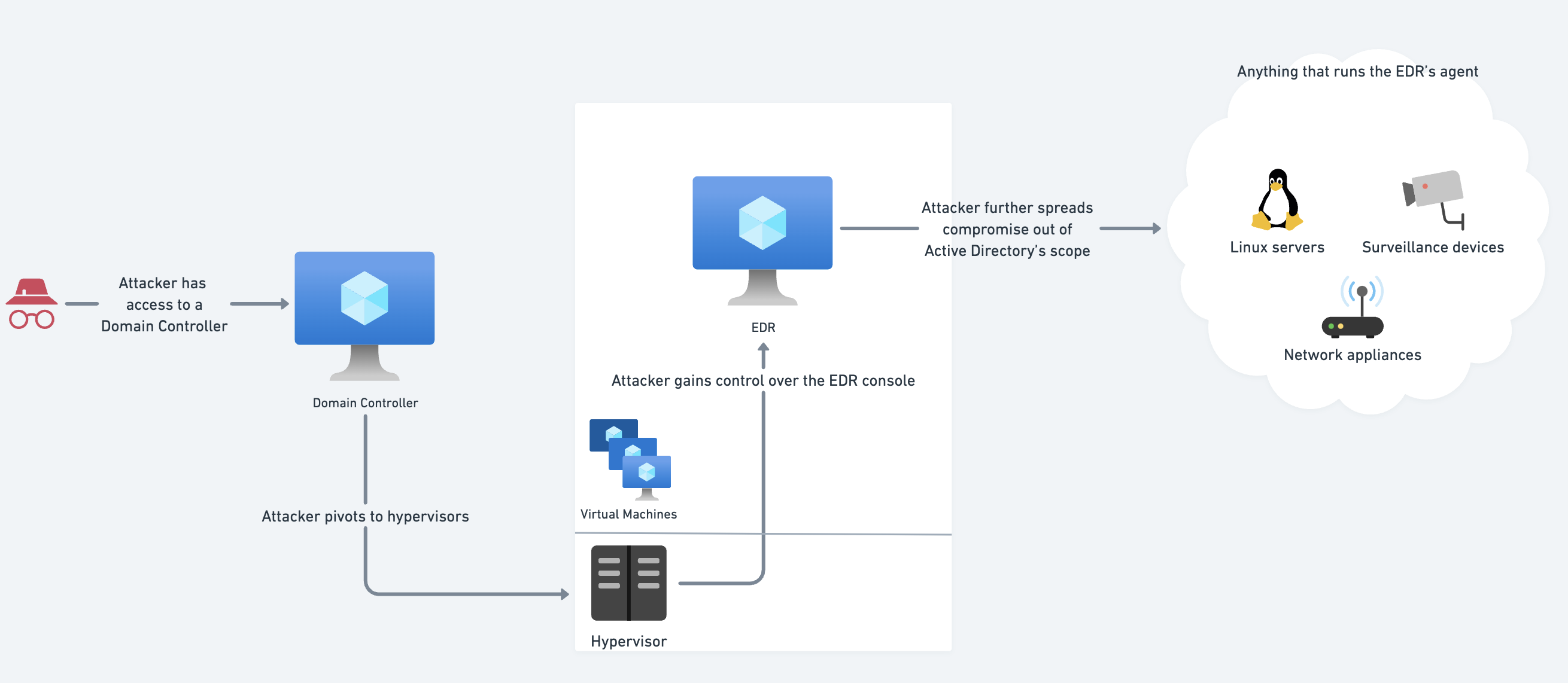
And yes, an EDR is a security tool, but any additional component increases the attack surface.
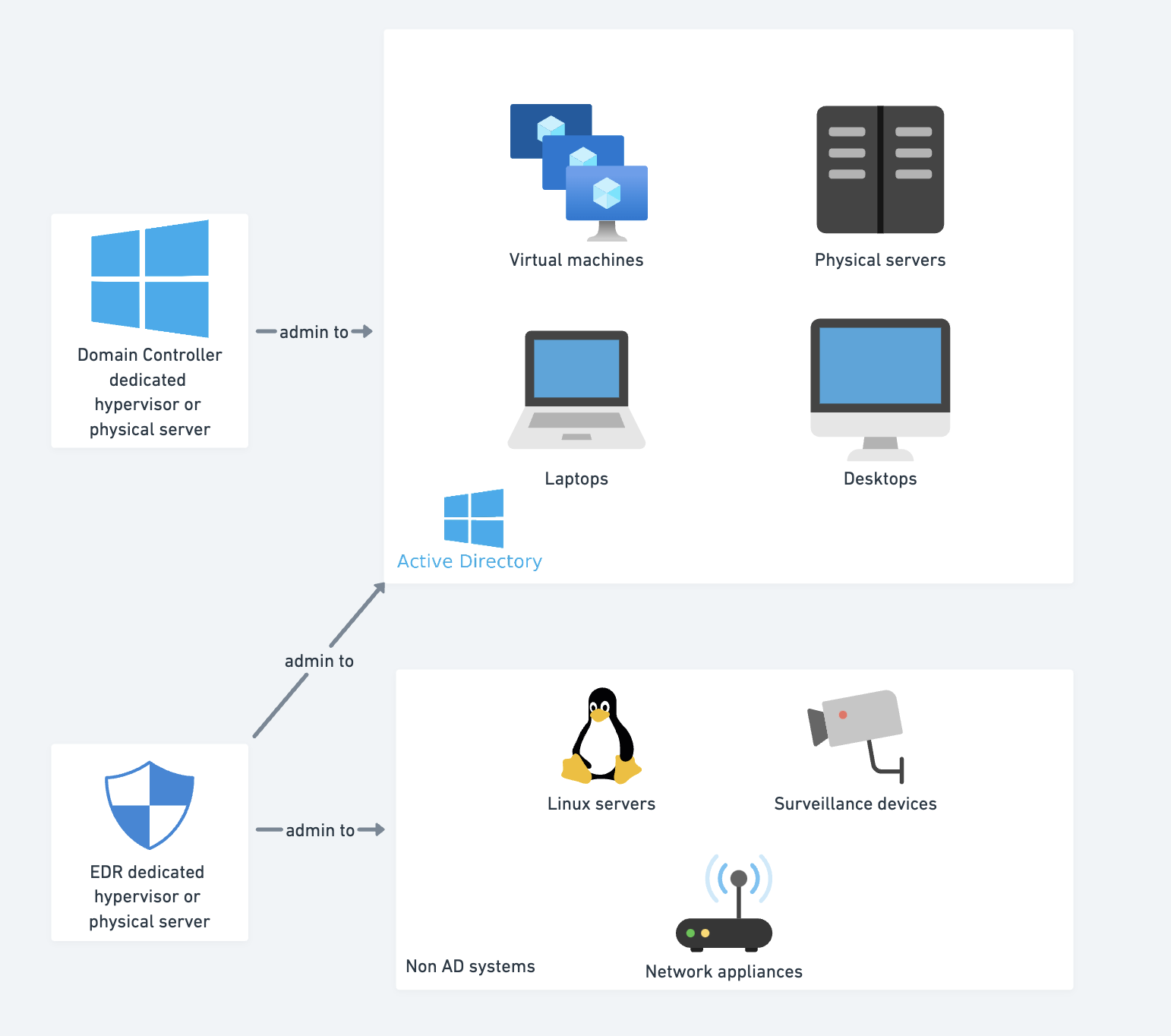
In order to make sure these elevations do not happen, it is necessary to isolate the hypervisors for sensitive systems.
Active backdooring
This one is a variant of the first point, but in this case we target an active session of a user. Instead of browsing the virtual machines artifacts for reusable secrets in the hope they are still relevant, we backdoor an active system to steal the user's sessions:
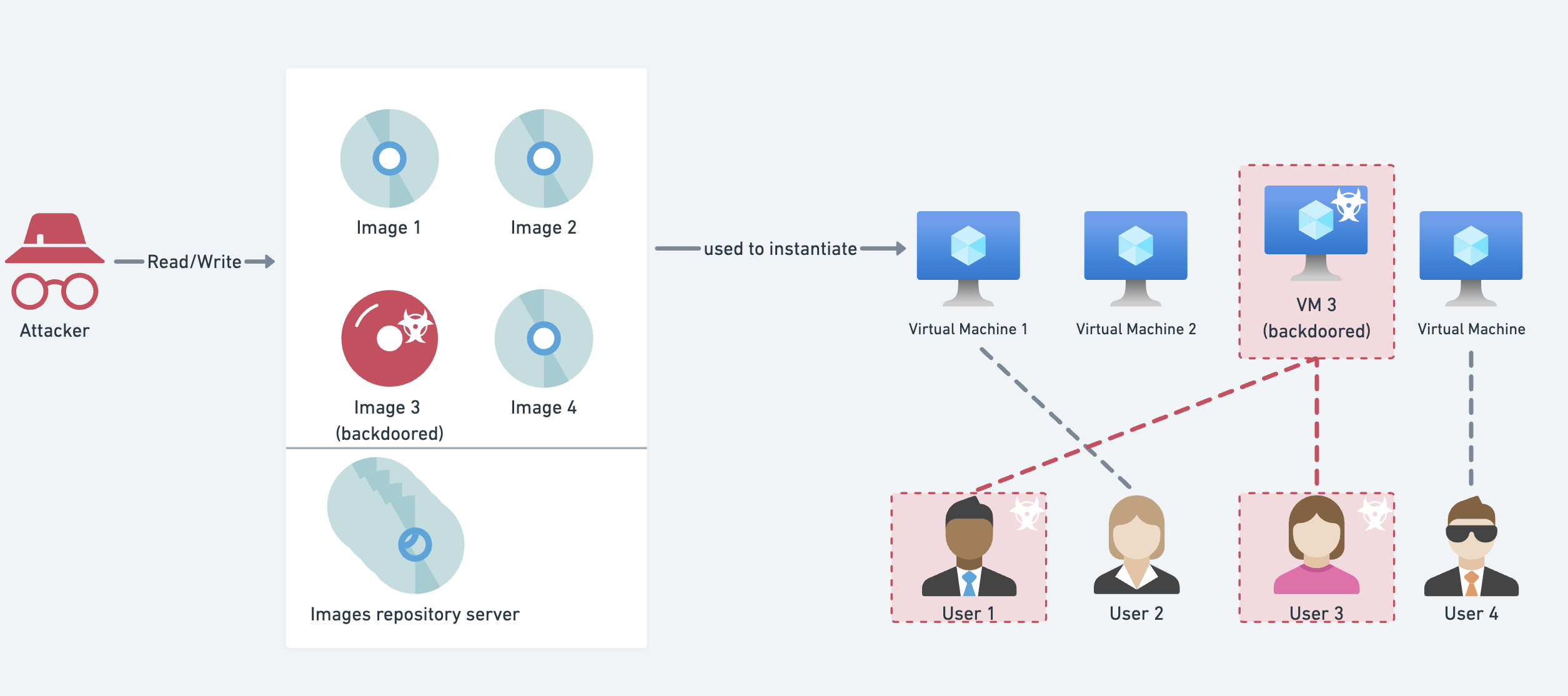
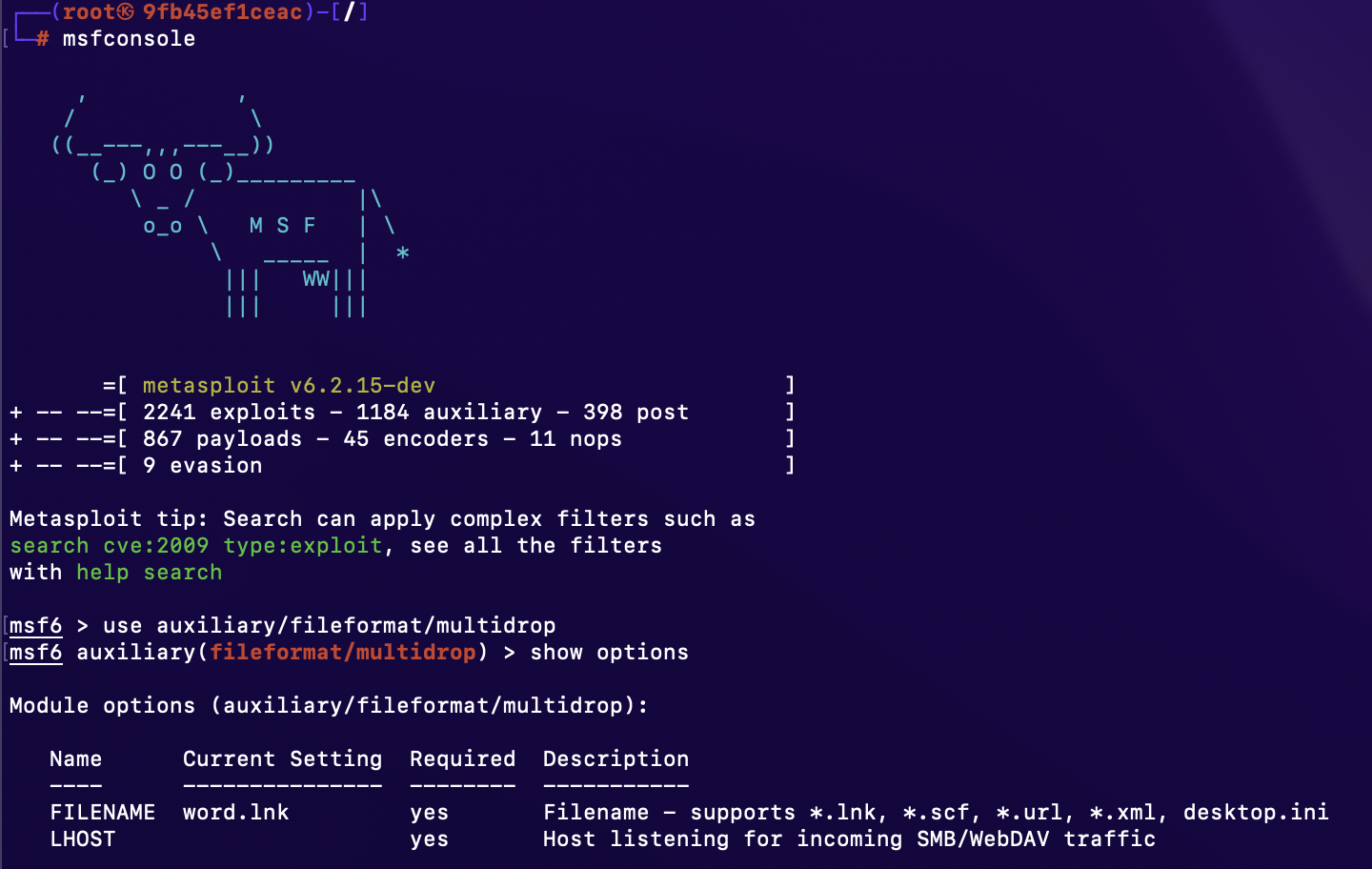
One concrete example of this attack, that can be easily implemented using the multidrop plugin from the Metasploit Framework:
Simply by replacing or adding static files containing a UNC path on the desktop of the victim is enough to steal an active Active Directory session, and replay it on the domain.
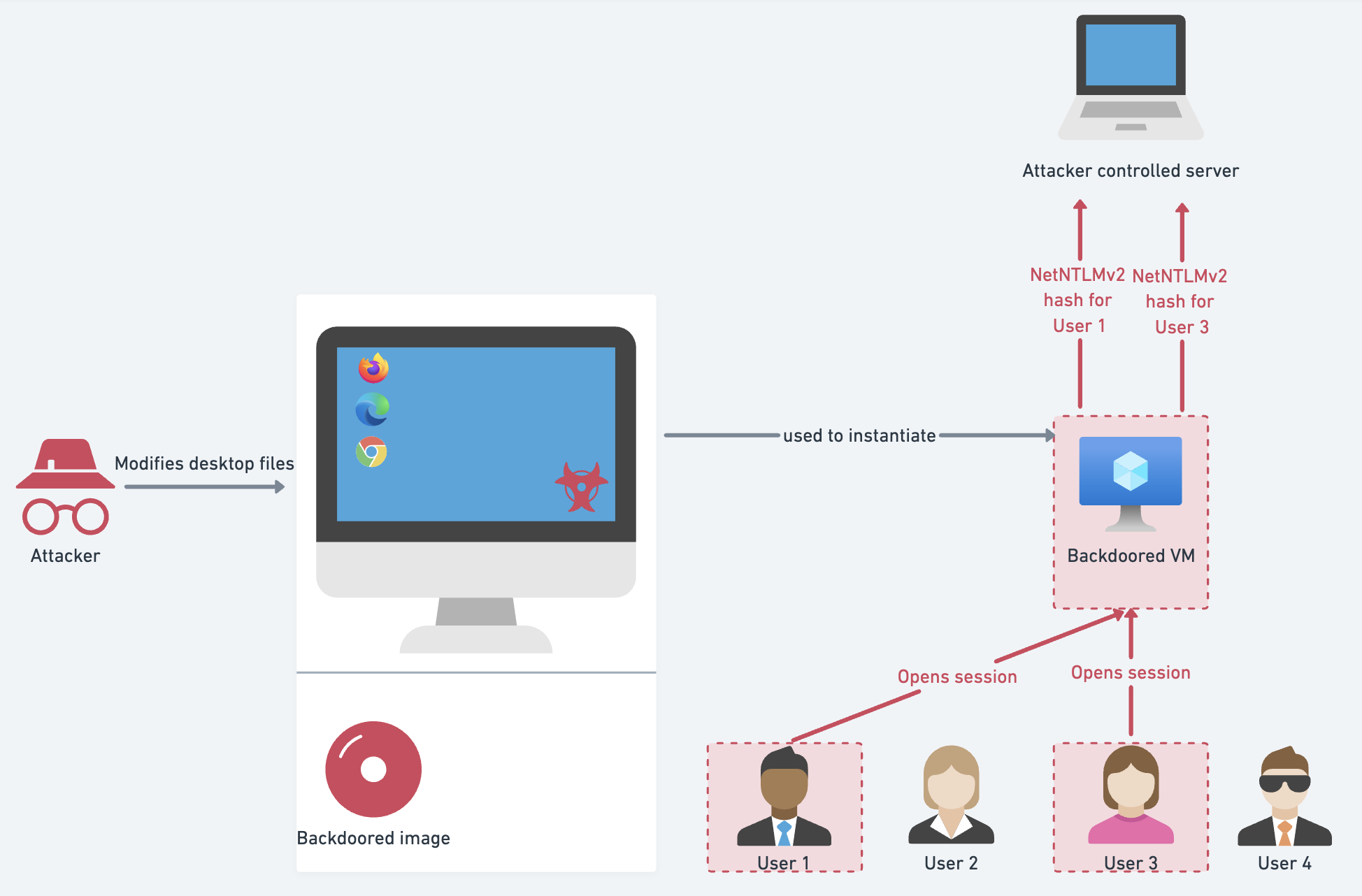
While there are a lot of countermeasures to this (protected users, SMB signing, ...), the best practice to highlight here still concerns access control and integrity for virtual systems images.
Underrated problem?
We see this everywhere. The more complex a system is, the more likely things like this will appear. And knowing that Hyper-V does not even natively support disks and snapshots encryption, it becomes very evident that a lot of system administrators are not even aware of the issue.
One potential lead that needs more investigation is the ability to omit certain files and folders from the snapshots. For example, not including SAM, nor SECURITY or NTDS.DIT files from VHDX files would greatly improve the security of on-premise systems. Yet, this is, once again, not supported by Hyper-V.
Stay classy netsecurios.
Need a security audit or tailored cybersecurity support?
Explore our services →